
We will learn how to develop these text files. We are beginners. We are babies again.
You don't need any fancy software. In fact, to really understand the basics of web design, all you need is a text editor like Notepad.
You are going to become very familiar with the basic structure of every web page on the planet:
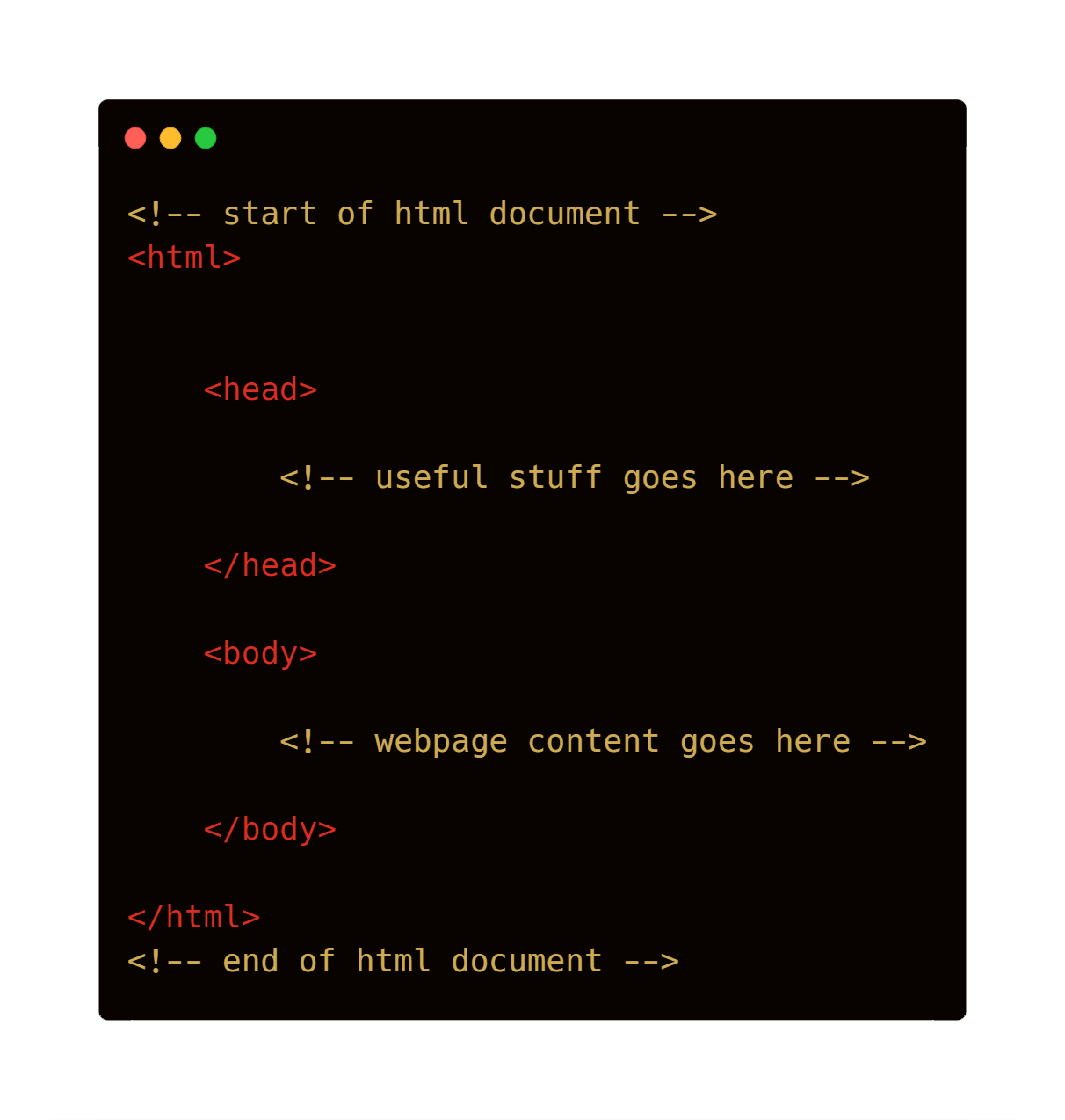

We can see two types of tags. The html tags. And the body tags. Each type of tag comes in a pair. The first tag tells the web browser that something is starting. The second one with the / tells the browser that the tag is ending.
So, the html tags tell the browser where the html section of the web page starts and finishes and the body tags tell the web browser where the body section starts and finishes.
We put our content between the body tags. Content could be:
- text
- images
- videos
- animations
- buttons
- other cool stuff!
Content also uses tags! Here is an example


Can you see these tags in the body section? Notice how they open and close! These help us include elements in our webpage.
- h1 - used for major headings
- h2 - used for smaller headings (subheadings)
- p - used for normal text
- i - used to make text italic
- b - used to make text bold
- img - used to display an image in the webpage. Note this tag closes itself!
Consider the img tag for a moment. Note that it cannot work alone.
<img/>
This will not do anything. The img tag needs to know where to find the image. To help out, we need to use the src attribute. src just means "source".
<img src = ""/>
This is still not enough. Inside the src attribute of the img tag, we need to specifically state where the image can be found. If the image is in the same folder as the web page we are designing, we can do this:
<img src = "me.jpg"/>
Before we go too deep, let's have a go at writing some html to create a webpage!

Challenge 45 follow these steps:
- create a Web Design folder in your Google Drive technology folder.
- create a Web Design project folder on your computer
- inside your Web Design folder, create a new folder called Babies Again
- inside your Babies Again folder, create a new file using a text editor. Save it as babiesagain.html
- design a webpage about you! Introduce yourself, including:
- your name.
- your age.
- a list of your favourite things on Planet Earth - research how to use li tags to do this.
- your future goals
- something you are afraid of
- any thing else you want to say!
- include at least 1 image in your page
- Can you figure out how to embed a Youtube video into your web page?
- Record a short audio welcome in mp3 format. Is it possible to upload this to Google Drive and embed it into your webpage?
- Can you find any other useful tags? Explore. A useful link is W3 Schools
- Upload your Babies Again folder to your online shared Web Design folder.